
Delta Force Controller Support in 2026: Finally, My Thumbs Rejoice
Delta Force controller support is now official: play Delta Force with a controller on PC by enabling it in settings. Full support has matured by 2026.
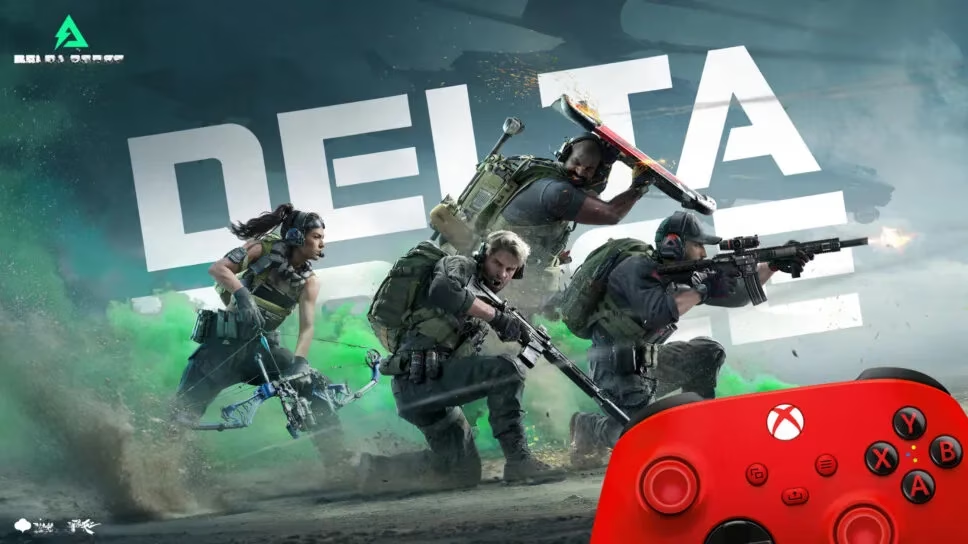
Let me paint you a picture. It's 2024, and I'm staring at Delta Force, a free-to-play shooter with extraction mode and large-scale warfare, feeling like a kid locked out of a candy store because I prefer a controller. The game was optimized for mouse and keyboard, and full controller support was basically a mythical creature. Fast forward to 2026, and the mythical creature is now sitting on my couch, eating my snacks, and helping me capture objectives. So, can you play Delta Force with a controller? Yes, you absolutely can—and if you're still stubbornly clinging to a mouse, well, who hurt you? 😄
The Dark Ages: When Controller Players Were Second-Class Citizens
Back in the day—okay, 2024, which feels like a decade ago in gaming years—Delta Force did not offer full controller support. The developers were honest about it. In a Discord Q&A, Game Director Shadow Guo admitted that controller support was not super high on their priority list until they demoed the game at Summer Game Fest. The feedback was loud and clear: please add controller support! And to their credit, they listened.
But the July PC Alpha Test? Yeah, no controller support there. Mouse and keyboard ruled the battlefield. I remember trying to aim with a controller through sheer willpower and third-party tools, and let me tell you, my K/D ratio looked like a cry for help. Why do controller players always get treated like the weird cousins at the family reunion? Because PC shooters have historically been MKB territory, that's why.
The Glorious Q1 2025 Promise (and What 2026 Me Knows)
After Delta Force officially released on Steam, the developers committed to adding controller support. In a community post comment, they shared a Q1 2025 target. With XDefiant sunsetting around that time, plenty of players were looking for a new home, and controller support was the welcome mat.
Now it's 2026. That Q1 2025 target is in the rearview mirror, and official controller support has had time to mature. Is it perfect? No game is. But is it a real, playable, officially supported option? You bet your analog sticks it is. The days of pretending a controller is a foreign object are over. The developers even acknowledged that adding controller support isn't just about convenience—it's about accessibility. For players with certain disabilities, a controller may be a necessity. And with console and PC gamers overlapping more than ever, many people simply aren't comfortable on a mouse. So yes, this was always bigger than my personal laziness.
How I Use a Controller in Delta Force Now
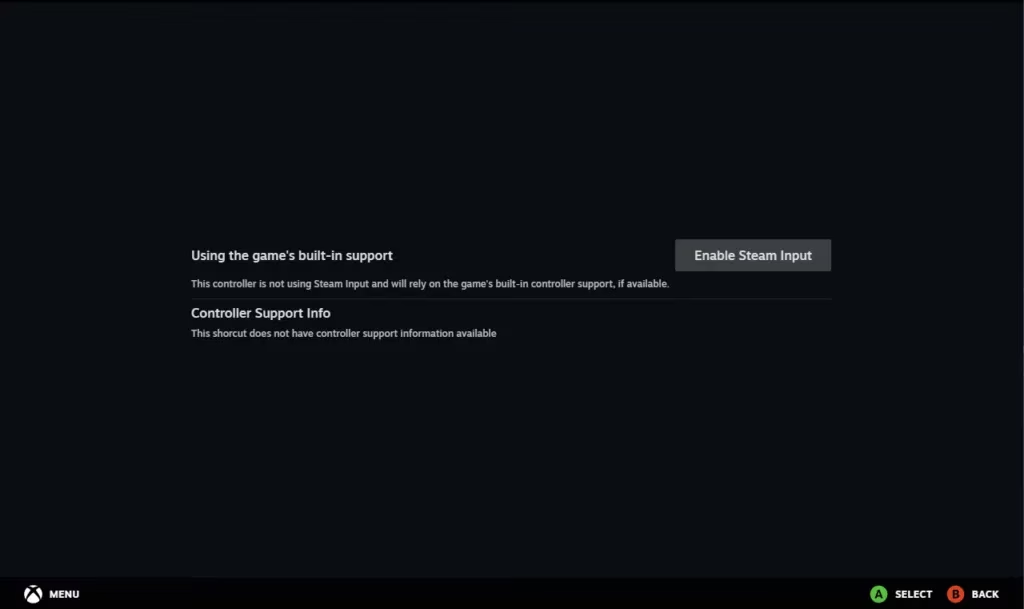
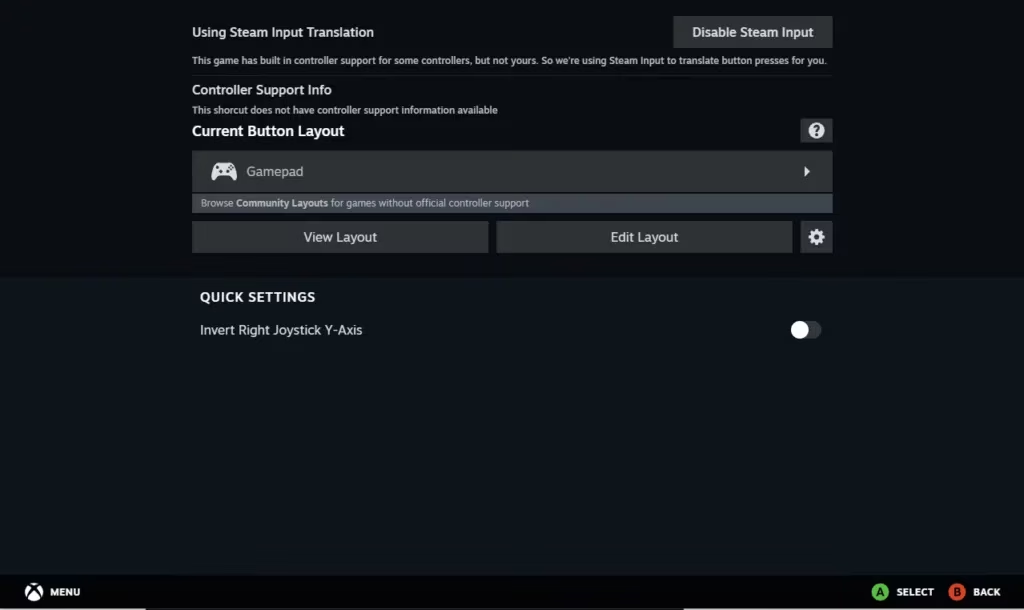
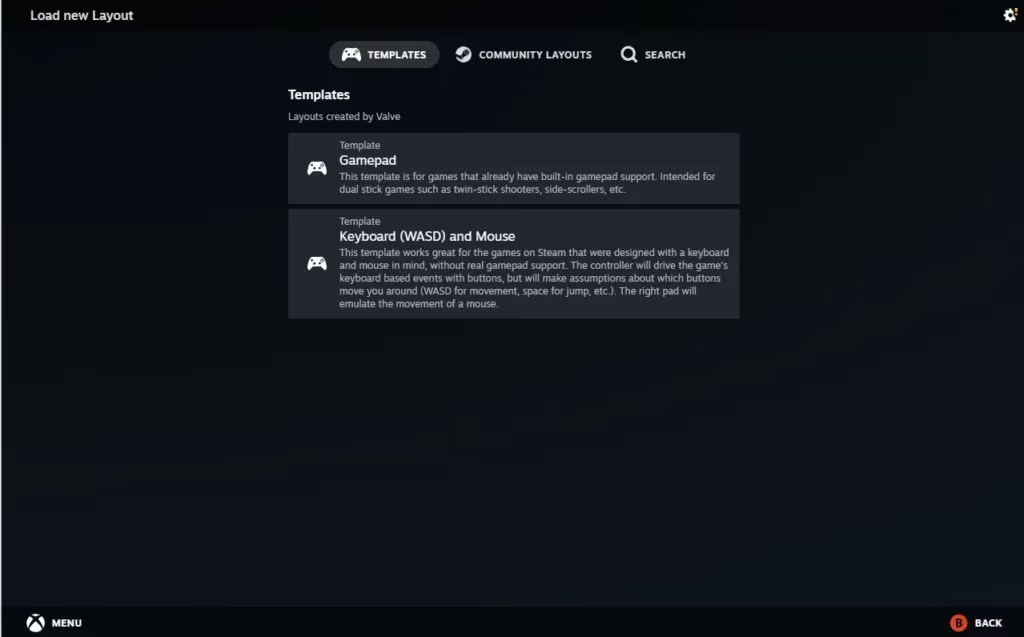
If you're jumping into Delta Force in 2026, here's the good news: you can just plug in your controller, go to settings, and enable it. But because I'm a tinkerer, here's my battle-tested routine. And if you're on an older setup or want custom layouts, Steam Input remains a beautiful fallback. Here's how to use Steam Input with Delta Force:
-
Connect your controller to your PC.
-
Open Delta Force in your Steam Library.
-
Click on the controller icon.
-
Select Enable Steam Input.
-
Click on the active template.
-
Click on Community Templates.
-
Select your preferred template.
For in-game sensitivity, Reddit user u/albertalegria188 shared a recommended setup back when official support was still cooking. I've adapted it, and it works wonders. Here's a quick table of what I use:
| Setting | My Preference | Why |
|---|---|---|
| Look Sensitivity | 6-7 | Fast enough for flick shots, slow enough to not spin like a top |
| Aim Down Sights Sensitivity | 0.8 | Keeps precision while aiming |
| Deadzone | 5% | Avoids stick drift without feeling sluggish |
| Aim Assist | On (where available) | Because I'm not a masochist |
| Button Layout | Tactical | Crouch on right stick, melee on B/Circle |
Why Controller Support Matters Beyond My Comfort
Let's get real for a second. Is controller support just about me wanting to lean back on my couch like a potato? Partly. But it's also about accessibility, inclusion, and making sure Delta Force reaches the widest possible audience. The devs said it themselves: controller compatibility ensures everyone can enjoy the intense firefights. That's not marketing fluff—that's good design.
Plus, have you tried playing extraction shooters with a mouse and keyboard after a long day of work? Your wrist starts writing a complaint letter to HR. A controller lets you play longer, more comfortably, and sometimes even more competitively, depending on your muscle memory. The gap between controller and MKB isn't as wide as the elitists want you to believe, especially with modern aim assist and tuning options.
The Verdict: Controller in Delta Force in 2026
So, can you play Delta Force with a controller? In 2024, the answer was a sad, shrug-filled no. In 2026, the answer is a confident, thumbstick-wiggling yes. The developers promised, they delivered, and the game is better for it. Whether you're a disabled gamer who needs a controller, a console refugee, or just someone who prefers the feel of triggers over clicky keys, you're welcome on the battlefield.
If you haven't tried Delta Force with a controller yet, what are you waiting for? Go into settings, enable it, tweak your deadzone, and thank the Summer Game Fest feedback gods. And if you're still on the fence, remember: the only wrong way to play is the way that makes you miserable. Now excuse me, I have an extraction to win—and I'm doing it with my thumbs. 🎮
Let me paint you a picture. It's 2024, and I'm staring at Delta Force, a free-to-play shooter with extraction mode and large-scale warfare, feeling like a kid locked out of a candy store because I prefer a controller. The game was optimized for mouse and keyboard, and full controller support was basically a mythical creature. Fast forward to 2026, and the mythical creature is now sitting on my couch, eating my snacks, and helping me capture objectives. So, can you play Delta Force with a controller? Yes, you absolutely can—and if you're still stubbornly clinging to a mouse, well, who hurt you? 😄
The Dark Ages: When Controller Players Were Second-Class Citizens
Back in the day—okay, 2024, which feels like a decade ago in gaming years—Delta Force did not offer full controller support. The developers were honest about it. In a Discord Q&A, Game Director Shadow Guo admitted that controller support was not super high on their priority list until they demoed the game at Summer Game Fest. The feedback was loud and clear: please add controller support! And to their credit, they listened.
But the July PC Alpha Test? Yeah, no controller support there. Mouse and keyboard ruled the battlefield. I remember trying to aim with a controller through sheer willpower and third-party tools, and let me tell you, my K/D ratio looked like a cry for help. Why do controller players always get treated like the weird cousins at the family reunion? Because PC shooters have historically been MKB territory, that's why.
The Glorious Q1 2025 Promise (and What 2026 Me Knows)
After Delta Force officially released on Steam, the developers committed to adding controller support. In a community post comment, they shared a Q1 2025 target. With XDefiant sunsetting around that time, plenty of players were looking for a new home, and controller support was the welcome mat.
Now it's 2026. That Q1 2025 target is in the rearview mirror, and official controller support has had time to mature. Is it perfect? No game is. But is it a real, playable, officially supported option? You bet your analog sticks it is. The days of pretending a controller is a foreign object are over. The developers even acknowledged that adding controller support isn't just about convenience—it's about accessibility. For players with certain disabilities, a controller may be a necessity. And with console and PC gamers overlapping more than ever, many people simply aren't comfortable on a mouse. So yes, this was always bigger than my personal laziness.
How I Use a Controller in Delta Force Now
If you're jumping into Delta Force in 2026, here's the good news: you can just plug in your controller, go to settings, and enable it. But because I'm a tinkerer, here's my battle-tested routine. And if you're on an older setup or want custom layouts, Steam Input remains a beautiful fallback. Here's how to use Steam Input with Delta Force:
-
Connect your controller to your PC.
-
Open Delta Force in your Steam Library.
-
Click on the controller icon.
-
Select Enable Steam Input.
-
Click on the active template.
-
Click on Community Templates.
-
Select your preferred template.
For in-game sensitivity, Reddit user u/albertalegria188 shared a recommended setup back when official support was still cooking. I've adapted it, and it works wonders. Here's a quick table of what I use:
| Setting | My Preference | Why |
|---|---|---|
| Look Sensitivity | 6-7 | Fast enough for flick shots, slow enough to not spin like a top |
| Aim Down Sights Sensitivity | 0.8 | Keeps precision while aiming |
| Deadzone | 5% | Avoids stick drift without feeling sluggish |
| Aim Assist | On (where available) | Because I'm not a masochist |
| Button Layout | Tactical | Crouch on right stick, melee on B/Circle |
Why Controller Support Matters Beyond My Comfort
Let's get real for a second. Is controller support just about me wanting to lean back on my couch like a potato? Partly. But it's also about accessibility, inclusion, and making sure Delta Force reaches the widest possible audience. The devs said it themselves: controller compatibility ensures everyone can enjoy the intense firefights. That's not marketing fluff—that's good design.
Plus, have you tried playing extraction shooters with a mouse and keyboard after a long day of work? Your wrist starts writing a complaint letter to HR. A controller lets you play longer, more comfortably, and sometimes even more competitively, depending on your muscle memory. The gap between controller and MKB isn't as wide as the elitists want you to believe, especially with modern aim assist and tuning options.
The Verdict: Controller in Delta Force in 2026
So, can you play Delta Force with a controller? In 2024, the answer was a sad, shrug-filled no. In 2026, the answer is a confident, thumbstick-wiggling yes. The developers promised, they delivered, and the game is better for it. Whether you're a disabled gamer who needs a controller, a console refugee, or just someone who prefers the feel of triggers over clicky keys, you're welcome on the battlefield.
If you haven't tried Delta Force with a controller yet, what are you waiting for? Go into settings, enable it, tweak your deadzone, and thank the Summer Game Fest feedback gods. And if you're still on the fence, remember: the only wrong way to play is the way that makes you miserable. Now excuse me, I have an extraction to win—and I'm doing it with my thumbs. 🎮